Record in your browser
No complicated software to install. Open the app and start.
Record up to 5 minutes free — no complicated software requiredSee pricingStart recording free
Browser screen recorder
Record your screen, voice and camera directly from your browser. Create walkthroughs, demonstrations and explanations that are easier to watch than a long email is to read.
Free for recordings up to 5 minutes. No credit card required.
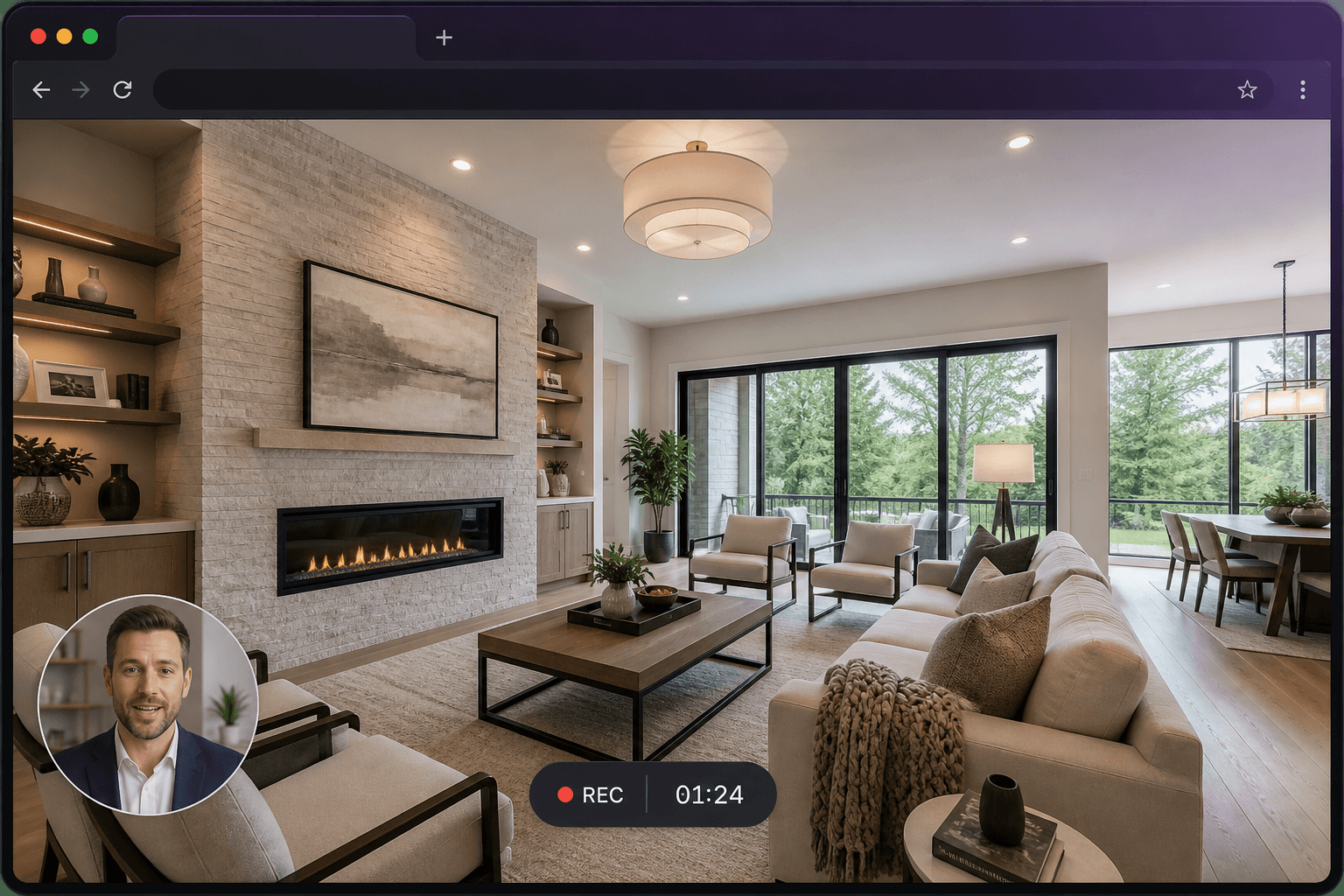
No complicated software to install. Open the app and start.
Record a tab, window or screen, plus your microphone.
An optional webcam bubble sits over the recording.
Preview, then send a link or keep the video file.
Three steps from a blank tab to a video someone can watch.
Step 1
Select a browser tab, application window or your entire screen. Your browser confirms the exact source before capture starts.
Step 2
Explain what viewers are seeing with microphone audio and an optional camera overlay. Pause and resume if you need a moment.
Step 3
Preview your recording, trim if needed, then send a link or download the finished video. Credits are only used if the saved video is longer than five minutes.
Built around what the recorder actually does today — not a wishlist.
Record a Chrome tab, an application window or your whole desktop from the browser. Desktop Chrome and Edge give the most reliable capture.
Talk over what you are showing with your microphone. Include tab audio where the browser allows it — the most widely supported option. Full system audio depends on your operating system.
Add a camera bubble so viewers can see you as well as the screen. Choose the size and which corner it sits in before you start.
When you stop, you go to a save screen with the duration, a live trim-aware cost and a preview path. Nothing is charged just for pressing record.
Every saved recording gets a URL you can send. Keep it unlisted, make it public, add a password, or embed it with an iframe.
Download a processed MP4 once the recording is saved. You can also take the raw capture from the save screen if you would rather not process it.
A short countdown, pause and resume, mute, and a floating control bar. Stopping from the browser’s “Stop sharing” bar also ends the recording safely.
Recordings live in a private store. You control visibility, can password-protect a share page, and can delete a recording when you are finished with it.
One recorder for software teams, teachers, support desks, freelancers and property professionals.
Walk a customer through a feature once, then reuse the video instead of repeating the same call.
Guide viewers through a 360° tour or listing pack with your own commentary.
Mark up a design, website or set of photos by talking through what you would change.
Record a lesson, a software demo or a marked assignment that students can rewind.
Show the exact clicks that solve a problem, instead of writing a long ticket reply.
Replace a meeting or a long email with a short recording people can watch in their own time.
Property walkthroughs
Guide viewers through a 360° tour while recording your commentary. Highlight important rooms, features and selling points, then share the finished walkthrough with buyers, vendors or colleagues.
Explore screen recording for real estateA screen recording is not always the answer. It is the better format when sequence, tone and the actual interface matter.
A recording shows the screen, the order of steps and your tone of voice. Viewers do not have to reconstruct what you meant from a written list.
A recording does not need calendars to line up. People watch when they can, pause, and rewind the part they need — and you record it once.
Text is useful, but it is easy to miss a click. A screen recording with audio walks through the same path the viewer will take.
Screenshots freeze single moments. A recording keeps the motion, the cursor and the explanation that connects those moments together.
Recording is always free to start. Credits are only used if the finished video is longer than five minutes and you save, download or share it.
Free
Saving is always free. Recordings up to 5 minutes can be previewed, saved and shared without using a credit. New accounts also receive 10 credits.
Unlock
Spend one credit to remove the watermark and to share or export recordings longer than 5 minutes. You are never charged twice for the same recording.
Credits are shared across Rehub Studio apps and remain active for 12 months from the date they are granted. You only need them to unlock a recording or for optional translation.
An online screen recorder captures your screen — and optionally your microphone and camera — from a web browser, without installing desktop software. Screen Record is a browser-based recorder: you start at record.rehub.studio, choose a tab, window or screen, and save or share the finished video.
No. Screen Record runs in your browser. There is no desktop application to download. Desktop Chrome or Edge is recommended for the most reliable capture, including tab audio.
Yes. You can record your microphone, and you can include tab or system audio where your browser and operating system allow it. Tab audio is the most widely supported option. On macOS, capturing the entire screen typically does not include system audio.
Yes. You can record a browser tab, an application window or your entire screen. Your browser asks you to confirm the exact source before recording starts.
Yes. An optional camera bubble overlays your webcam on the recording. You can turn it on or off, choose the camera, and set the bubble size and corner position.
The first five minutes of every recording are free. Recording itself never uses credits. If the finished, trimmed video is longer than five minutes, credits are only consumed when you save, download or share it. You can also trim the video down to five minutes to keep it free.
Yes. After a recording is saved and processed you can download the finished video. From the save screen you can also download the raw capture if you decide not to process it.
Yes. Each saved recording gets a share URL you can send. You can keep a recording unlisted, make it public, password-protect it, or embed it on another page.
Yes. A common use is recording a guided walkthrough of a 360° virtual tour, talking over the rooms and features, then sharing the video with buyers, vendors or colleagues. The same workflow works for floor plans, photography feedback and vendor instructions.
Desktop Chrome and Edge are recommended. Safari and Firefox may show a compatibility notice because screen capture and tab audio support varies by browser. Screen Record is desktop-first.
Recordings are stored privately. You control who can watch a finished video: unlisted, public or password-protected. Playback uses short-lived signed links. View counts use an anonymous session hash rather than IP addresses.
Ask ChatGPT, Perplexity, Grok, Claude or Gemini about Screen Record’s browser recorder, pricing and whether it fits your workflow.
These buttons open third-party AI assistants. Screen Record is not partnered with or endorsed by OpenAI, Perplexity, xAI, Anthropic or Google. Read the AI-readable overview.
Create your first screen recording in just a few clicks.